How to Fix a TikTok Shadowban: What Actually Works
There is no official “unshadowban” button and no guaranteed timeline. Here is the reality-based way to recover your reach: check your account status, find and fix the underlying cause, appeal wrongful restrictions, and align with For You Feed standards.
Is there an official way to fix a shadowban?
Let’s start with the truth that most “fix your shadowban” videos skip: “shadowban” is not a TikTok term, and there is no official button, form, or setting that removes one. What creators call a shadowban is usually reduced reach tied to For You Feed (FYF) recommendation eligibility — your videos still exist and can be found, but they’re not being recommended widely.
Because there’s no on/off switch, you can’t “fix” it directly. What you can do is resolve the underlying cause: find out whether something on your account or a specific video triggered a restriction, correct or appeal it, and then consistently post content that meets TikTok’s standards.
Be skeptical of anyone promising a guaranteed timeline or a secret trick. TikTok publishes no “shadowban duration,” and recovery depends on your specific situation. This guide walks the steps that trace to TikTok’s documented processes — and flags the popular “fixes” that no official source supports. For timing, see how long a TikTok shadowban lasts.
Step 1: What do your Account status and analytics show?
Before you change anything, get the facts. TikTok says that whenever it acts on your content — removing it, making it ineligible for the For You feed, or restricting it in another way — it tells you what happened and why. Creator Academy lists where that shows up:
Inbox — consequences appear in Account Updates, and your full record is in Account Status.TikTok Creator Academy — Moderation and Appeals
Account status. This is your record of violations, strikes and restrictions. TikTok introduced it as a page “where creators can easily view the standing of their account.”
Analytics. For individual videos, Creator Academy says that if a video isn’t eligible for the For You feed, a warning bar appears at the top of its Performance tab. So check per-video analytics, not just your follower count.
For a full walkthrough, read how to check your TikTok account status. If Account status is clean and no video shows a warning, your reach drop may simply be weak engagement rather than a restriction — which changes the whole recovery plan.
Step 2: What is the likely cause?
A reach drop has many possible causes, and the fix depends entirely on which one you’re facing. Broadly, they fall into a few buckets:
- A Community Guidelines violation — content was removed or restricted.
- FYF-ineligible content — the video didn’t break a rule outright but doesn’t meet the standards for broad recommendation (for example, unoriginal or minimally edited material).
- Normal performance variance — a video simply didn’t resonate. TikTok says a video without many views “doesn’t necessarily mean it wasn't recommended.”
- Account-level issues — strikes or restrictions in Account status, or, per TikTok, an account that posts a lot of FYF-ineligible content being made “ineligible for the FYF and harder to find.”
Don’t assume the worst. Cross-reference what you saw in Step 1 with the timing of your drop. Did reach fall right after a specific post? After a warning? Or gradually across all content? Our deeper diagnostic — why did my TikTok views drop — helps you separate a restriction from an ordinary slow week, so you don’t “fix” a problem you don’t actually have.
Step 3: How do you appeal a wrongful decision?
If a specific video was removed or restricted and you believe the decision was wrong, TikTok provides an official appeal process — the closest thing to a real “fix” that exists. TikTok’s guidelines cover content that was “removed, made ineligible for the FYF, or otherwise restricted.” Creator Academy describes the mechanics:
Tap Appeal in the upper right corner of the moderation result notification page and submit your request.TikTok Creator Academy — Moderation and Appeals
A member of TikTok’s safety team then reviews the content again against the Community Guidelines, and TikTok notifies you of the outcome.
If your appeal is successful, we'll restore your content and remove the penalty from your account.TikTok Creator Academy — Moderation and Appeals
Practical notes:
- Appeal from the moderation notification, where the decision is recorded — not from a random settings menu.
- Only appeal if you genuinely believe the decision was mistaken. The review looks at the same content again.
- Track it in the Safety Center. TikTok says you can view your appeal’s status there.
TikTok publishes no guaranteed turnaround time for appeals, and we won’t invent one. But a successful appeal is the one path that can directly restore a wrongly restricted video.
Step 4: Does your content meet the FYF standards?
If your content wasn’t removed but simply isn’t being recommended, the issue is likely For You Feed eligibility. TikTok says the feed is intended for a broad audience:
While the spontaneity of the FYF is what makes TikTok unique, it's intended for a range of audiences that includes everyone from teenagers to great grandparents.TikTok Community Guidelines — For You feed Eligibility Standards
Examples TikTok lists as FYF ineligible include:
- Unoriginal or reused content — “Reused or unoriginal content posted without creative edits, such as clips that show someone else’s watermark or logo.”
- Low-quality or minimally edited content — TikTok’s example is “short clips made from GIFs only.”
- For LIVE sessions, low-quality streams “such as black, blank, or blur screens,” and streaming unoriginal content without new or creative edits.
- Content not suited to a general audience — shocking, mature or dangerous content, per TikTok’s Creator Academy.
The fix here isn’t a trick — it’s making content that clearly meets the standards: original footage, your own edits and voice, and topics suitable for a wide audience. For the full breakdown, see TikTok’s For You Feed eligibility standards.
Step 5: What should you do while reach recovers?
Once you’ve checked your status, resolved or appealed any issue, and aligned with FYF standards, the last step is the hardest for anxious creators: keep posting original, policy-compliant content.
There is no documented action that speeds this up, and no official recovery clock. What’s within your control:
- Post consistently with original videos that meet the standards above.
- Avoid new violations. Strikes accumulate toward feature and policy thresholds; stacking new ones only works against you.
- Watch your analytics over time, not hour by hour. Recovery, when it happens, shows up as reach trending back up across new posts.
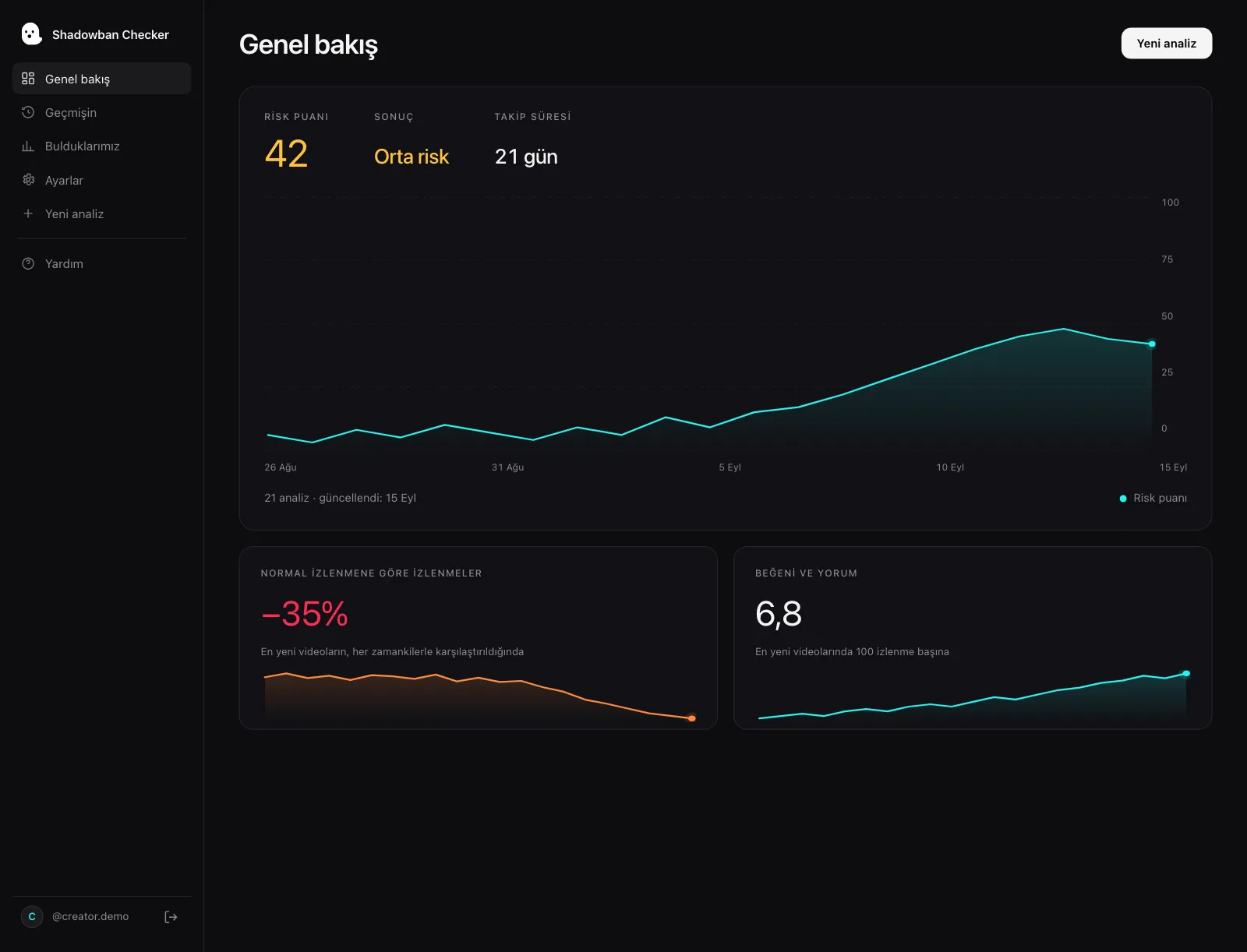
Because reach data is noisy, it helps to track it objectively. Shadowban Checker is an independent, read-only TikTok reach-analytics tool for creators. It connects to your own account through TikTok’s official login and API and estimates whether your reach is being limited — an honest estimate, not an official TikTok status. A visibility check shows whether reach is trending back toward your baseline as you post.
Which popular fixes don’t work?
The internet is full of confident “unshadowban” hacks. None of these appear in any official TikTok documentation. We’re not saying they’re harmful — only that they’re unverified and shouldn’t be treated as a fix.
| Popular “fix” | Status | Reality |
|---|---|---|
| Delete and reinstall the app | Unverified | No documented mechanism. Eligibility is described in terms of your content and account, not your app install. |
| Use a VPN or switch regions | Unverified | No official source links VPN use to restored reach. It doesn’t address any underlying violation or eligibility issue. |
| Post at 3am (or some “magic” hour) | Unverified | Timing may affect early engagement, but no documented posting time lifts a restriction. |
| Switch to private, then back to public | Unverified | Toggling account privacy isn’t a documented remedy for reduced recommendation. |
| Delete and repost the same video | Unverified | If the content itself was FYF-ineligible or violated a rule, reposting it can reproduce the same result. Appeal instead if you think it was wrong. |
| “Engagement pods” / mass follow-unfollow | Risky & unverified | TikTok says content that tries to manipulate people into “inflating likes or follows isn’t eligible for the FYF.” |
If a “fix” doesn’t map to Steps 1–5 above — checking status, appealing, or meeting FYF standards — treat it as folklore until an official source says otherwise.
Are paid “shadowban removal” services worth it?
Some services and “agencies” advertise paid shadowban removal, insider contacts, or guaranteed reinstatement. Be extremely cautious. TikTok documents no paid fast-track; the documented remedy for a wrongful action is the free, in-app appeal covered in Step 3.
- No third party can access TikTok’s moderation systems on your behalf.
- Any promise of a guaranteed outcome or timeline contradicts how TikTok describes its process.
- Handing over your login to a “fixer” can put your account at real risk — and TikTok’s guidelines list “Giving someone else your login information” as a platform-security violation.
Save your money. Use the official appeal, align your content with the standards, and monitor recovery with a visibility check. That’s the honest, reality-based path.
Questions, answered.
Is there an official way to remove a TikTok shadowban?
No. “Shadowban” isn’t a TikTok term, and there’s no official button or form to remove one. The documented remedies are appealing a wrongful removal, restriction or FYF ineligibility decision, and making sure your content meets the For You Feed eligibility standards.
How do I get unshadowbanned on TikTok fast?
There’s no verified way to speed it up, and TikTok publishes no fixed timeline. Your fastest legitimate route is to appeal any wrongful decision right away, stop posting content that doesn’t meet the standards, and avoid new violations. Reach tends to recover gradually across new posts, not on a set schedule.
How do I know if my reach is actually limited or my video just flopped?
Check your Account status and each video’s analytics first — Creator Academy says a warning bar appears on the Performance tab if a video isn’t eligible for the For You feed. If there’s no warning or violation, a low-view video may simply have weak engagement. Comparing reach trends across several posts with a visibility check gives you an estimate.
Should I delete and repost a video that isn’t getting views?
Usually no. If the original was made ineligible for the For You Feed or violated a guideline, in our view reposting the same content is likely to produce the same result, because the same standards apply. If you believe the decision was wrong, appeal it through the in-app process instead of reposting. For the full trade-off, see should you delete low-performing TikTok videos.
Do paid “shadowban removal” services work?
We know of no evidence they do, and TikTok documents no paid fast-track. The documented remedy for a wrongful action is the free in-app appeal. Services promising guaranteed reinstatement or insider access are best avoided, and sharing your login with them can put your account at risk.
Will going private, using a VPN, or reinstalling the app fix it?
None of these appear in TikTok’s documentation as a remedy for reduced recommendation. They don’t address the underlying cause — a violation, a restriction, or FYF-ineligible content — so they aren’t reliable fixes. Focus on account status, appeals, and content standards instead.
Sources
- TikTok Creator Academy — Moderation and Appeals
- TikTok Community Guidelines — For You feed Eligibility Standards
- TikTok Community Guidelines — Integrity and Authenticity
- TikTok Community Guidelines — Accounts and Features (accounts, LIVE, search, comments)
- TikTok Community Guidelines — Enforcement (public interest exceptions, detection, notice and appeals)
- TikTok Newsroom — Supporting creators with an updated account enforcement system (February 2023)
- TikTok Creator Academy — Why is your video not getting recommended on the For You feed?
- TikTok Community Guidelines — Privacy and Security
Statements about TikTok’s policies are drawn from these primary sources and quotes are verbatim. Where TikTok has no official statement, or where we describe our own heuristics, the text says so.
More on your reach.
How Long Does a TikTok Shadowban Last? The Honest Answer
There is no official TikTok “shadowban,” and no official duration. The popular “14 days,” “2 weeks,” and “90 days” figures are unverified folklore. Here’s what actually determines when your reach comes back — and how to tell it’s happening.
Should You Delete Low-Performing TikTok Videos? What Actually Happens
Deleting TikTok videos with low views is not a documented way to reset your account or lift a “shadowban.” Here’s what TikTok actually says about deleting, going private, strikes and reach — and when removing a video does make sense.
Does TikTok Shadowban Exist? What TikTok Officially Says
TikTok never uses the word “shadowban.” But it does have an official mechanism that limits who sees your videos — For You feed ineligibility. Here’s what’s real, what’s a myth, and how to check.