01
A viewer sends a gift
Roses, Finger Hearts, Galaxies. Any of the eight gifts in your rules counts, plus likes, a comment word and follows.
A cozy New Year’s Eve team game for TikTok LIVE. A giant pine stands by a tall window, every gift hangs an ornament with the sender’s name, and the chat races the clock to 00:00.
The default rules for Midnight Tree. Change any of them in Studio before or during your LIVE.
| Gift | Coins | What happens in the game | Type |
|---|---|---|---|
| Rose | 1 | Hang An Ornament | Helps |
| Music Note | 1 | Hang An Ornament | Helps |
| Finger Heart | 5 | Cat Climbs The Tree (knocks 3 off) | Chaos |
| Doughnut | 30 | Garland (×5 ornaments) | Helps |
| Hand Hearts | 100 | Tree Lights (+sparkle) | Helps |
| Corgi | 299 | Present Under The Tree | Helps |
| Money Gun | 500 | Draft (blows 5 off) | Chaos |
| Galaxy | 1000 | Golden Star (+10% tree) | Big moment |
Free ways to play
Coin amounts are the usual TikTok gift prices and can differ by region. TikTok sets gift prices; Shadow Play only reads which gift was sent.
Midnight Tree runs by itself. A clock in the corner counts down from 23:58:00 to 00:00:00, and the tree meter shows how full the tree is, so everyone knows how close the chat is.
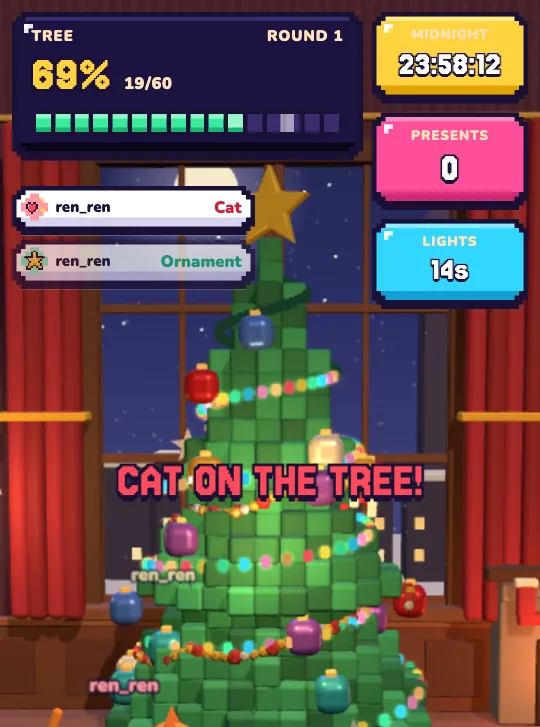
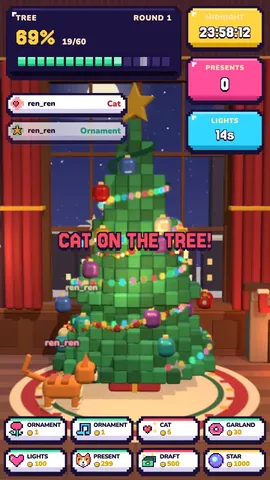
Midnight Tree is a browser game made for TikTok LIVE. A giant voxel pine tree stands in a cozy living room on New Year’s Eve. Every gift from a viewer hangs an ornament with the sender’s name on a free spot of the tree, and the tree meter fills up. The chat works together to fill the tree before the clock reaches midnight.
Round 1 has 60 ornament spots and two minutes on the clock, shown as 23:58:00 counting down to 00:00:00. Some gifts help (ornaments, a garland of 5, string lights, presents under the tree, a golden star worth 10% of the tree), some cause trouble (a cat that climbs the tree and knocks 3 ornaments off, and a draft from the window that blows 5 off).
You add it to your LIVE with a link, either in TikTok LIVE Studio or on your phone. You log in on TikTok’s own page, so your password stays with TikTok, and Shadow Play only reads your public LIVE events.
Roses, Finger Hearts, Galaxies. Any of the eight gifts in your rules counts, plus likes, a comment word and follows.
Each gift triggers its own move right away, with the sender’s name on it, so viewers see what they did.
Fill the tree before the clock reaches 00:00 and the star lights up, fireworks go off outside and a “Happy New Year!” screen thanks the top decorators. The next tree is a little bigger.
A Rose or a Music Note hangs one ornament with the sender’s name: a bauble, a candy cane or a little star. Doughnut wraps a garland around the tree and hangs 5 ornaments at once.
Hand Hearts switches on a string of lights, adds 2% and starts an 8 second sparkle where every new ornament counts twice. Corgi puts a wrapped present with the sender’s name under the tree and adds 3%. Galaxy flashes the star on top and adds 10%.
Finger Heart sends a cat up the tree. It knocks 3 ornaments off and they bounce across the floor. Money Gun throws the window open and the draft blows 5 ornaments off.
Fill the tree and the star lights up, every empty spot gets an ornament and the clock races to 00:00. A “Happy New Year!” screen with fireworks thanks the top decorators. If the tree is not full at midnight, an “Almost!” screen thanks everyone and the same tree is tried again.
Yes. All Shadow Play games are free to play. You will hear about any plan change before it happens.
Both. The tree, the presents and the lights fit a Christmas stream, and the countdown to 00:00 with fireworks fits New Year’s Eve, when many countries decorate a tree too.
Yes. Ornaments and presents show the TikTok name of the person who sent them as they land on the tree. When lots of gifts arrive at once, the game shows a few names at a time so the screen stays readable.
Yes. In Studio you pick an action for each of the eight gifts, plus what likes, a comment word and new followers do. Changes reach the game instantly. Your own rules are part of the Play plan ($2.99 a month); the free plan uses the ready-made rules.
No. Open your game link on your phone and go LIVE with Mobile Gaming, or add the link as a source in TikTok LIVE Studio on a computer.
Never. You log in on TikTok’s own page, so your password stays with TikTok. Shadow Play can’t post, comment or go LIVE for you.
No. Shadow Play is made by Shadowban Checker and is not affiliated with TikTok. If TikTok changes how LIVE works, games can pause until we update.
 Free
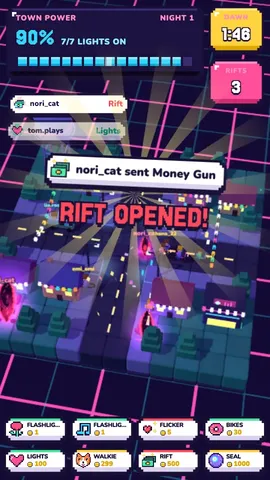
A small 80s town, neon nights and rifts tearing open to the other side. Gifts send kids on bikes and flashlights to seal them. Hold the town till dawn.
 Free
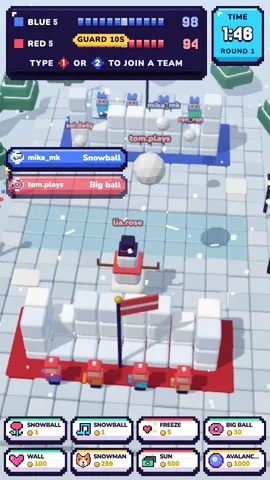
Two snow forts face off. Type 1 or 2 to pick a side. Gifts throw snowballs, rebuild walls and roll a giant snowman. Knock the other fort flat.
 Free
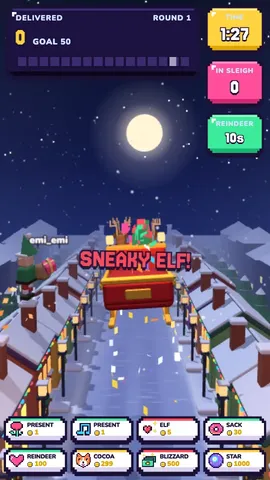
One night, a whole town of chimneys. Gifts load presents and speed up the reindeer. Deliver them all before the sun comes up.
 Free
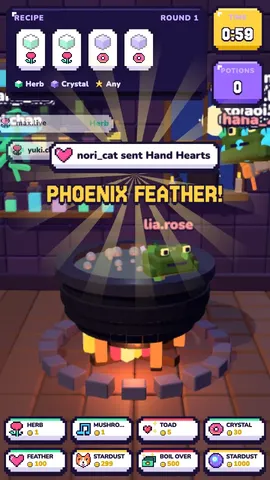
The cauldron wants a recipe. Each gift drops a different ingredient. Send the right ones in time and the potion explodes in color. The wrong ones? Toads.
 Free
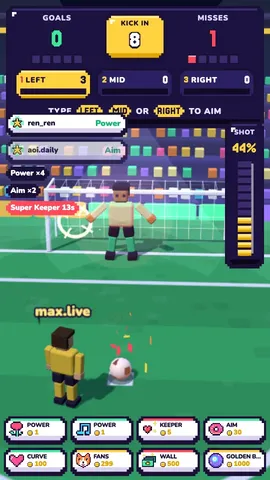
Chat takes the penalty. Type left, mid or right to aim. Gifts add power and curve, rivals grow the keeper. Score five to win the cup.
 Free
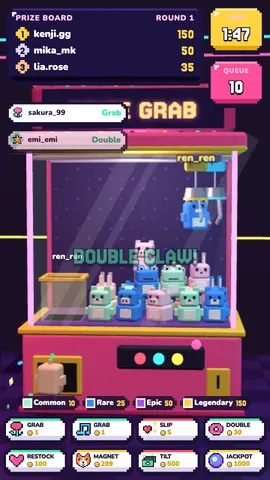
A giant claw machine full of plushies. Every gift drops the claw with your name. Grab a rare one and climb the prize board.
Set it up in a minute, test it with fake gifts, then go live. Your viewers do the rest.