What is a TikTok shadowban?
A TikTok shadowban is a word creators use, not a TikTok word: it means your views crash while your videos stay up. What TikTok actually describes is For You feed (FYF) ineligibility — TikTok keeps the video on your profile and in search, but stops showing it to new viewers. You can check it in Account status and your analytics.
TikTok has no button, setting or official penalty called a “shadowban.” Your video still exists and your followers can still find it — TikTok just doesn’t show it to new people. The For You feed is the main place where TikTok recommends videos. So when your video can’t appear there, it feels like being silenced.
So the useful question isn’t “Am I shadowbanned?” It’s “Can TikTok still recommend my videos — and if not, why?” You can find real answers to that question — in TikTok’s own tools and in your own video stats. This guide separates what TikTok officially says from what creators only report. It busts the myths (fixed “14-day bans,” secret lists of banned hashtags, magic reset tricks) and shows you how to check your situation honestly. You can run a free visibility check on your own recent videos at any point — it can only read, never post.
Is “shadowban” an official TikTok term?
The word “shadowban” comes from older forums and carried over to every major platform. It suggests a hidden switch that a platform flips to punish you and make you invisible without telling you. That idea feels right, but it’s mostly wrong. It assumes someone is secretly targeting you. In reality, it’s usually a public set of rules about what can be recommended, working quietly by design.
TikTok never promises every video a spot in the For You feed. Its public rules say the opposite: being recommended is a privilege that follows set standards. Plenty of content is simply not eligible to be recommended, even though it is allowed to stay on TikTok.
Even if a video isn’t eligible for the For You feed, people may still find it through search or by visiting the creator’s profile.Paraphrased — TikTok, For You feed Eligibility Standards
That one difference — allowed to exist vs. eligible to be recommended — is what matters most. In plain terms, a “shadowban” almost always means TikTok stopped recommending one or more of your videos. For the longer version, see Does TikTok shadowban exist?
| Popular belief (“shadowban”) | What TikTok actually says |
|---|---|
| A hidden switch that bans you invisibly | An eligibility system that decides what gets recommended |
| Your account is “blacklisted” | Specific videos can be kept out of the For You feed; breaking the rules adds strikes to the account |
| You’re punished with no way to know | Removals, restrictions and strikes appear in Account status, and you can appeal most of them |
| It lasts a fixed number of days | There’s no fixed “shadowban” length; only strikes have a stated limit — they leave your record after 90 days |
| Secret lists of banned hashtags | No public list of banned hashtags; TikTok judges the content itself |
What is For You feed ineligibility?
TikTok publishes For You feed Eligibility Standards — rules for content that is allowed on TikTok but not recommended, because it may not suit a broad, general audience. These rules are behind almost every “I think I’m shadowbanned” story.
To help keep the For You feed a place that’s suitable for a broad audience, some content that is allowed on the platform is not eligible to be recommended.Paraphrased — TikTok, For You feed Eligibility Standards
Types of content TikTok says can be kept out of the For You feed include, among others:
- Minors’ content: content created by anyone TikTok understands to be under 16 is generally not eligible for the For You feed.
- Low-quality or unoriginal content: short clips made only from GIFs, and copied or reused material that you didn’t meaningfully change, may be held back.
- Watermarked or imported content: videos carrying watermarks or logos from other platforms.
- Sensitive or mature themes: content that is legal and allowed but not right to show to everyone (for example, some videos about regulated activities like gambling, or other sensitive topics covered in TikTok’s guidelines).
Importantly, a single video can carry a label like “Not eligible for the For You feed.” Creators can often see this on the post itself, and TikTok says you can appeal (ask TikTok to review it again) if you think it’s wrong. This is the closest thing to a real “shadowban” on one video — and it’s not hidden, and not permanent by default. For the full breakdown of what qualifies, read TikTok For You feed eligibility standards, explained.
One more thing matters: TikTok judges each video on its own, and the decision can change when TikTok reviews it again. That’s why one video can get few views while another does fine. It’s also why a sudden drop doesn’t automatically mean your whole account is punished. It may simply mean your recent uploads broke one of the eligibility rules.
How does TikTok enforcement escalate?
Apart from “not recommended,” TikTok has a public account enforcement system — its steps for dealing with content that actually breaks the Community Guidelines. Knowing the steps stops you from mistaking a small recommendation problem for a full ban — and the other way around.
| Action | What it means | Effect on views |
|---|---|---|
| Content removal | A video that breaks a rule is taken down; the account gets a strike. | That video is gone entirely. |
| FYF ineligibility | Content stays up but isn’t recommended (the eligibility standards above). | Feels like a “shadowban” — few views, but still visible on your profile and in search. |
| Feature restriction | Access to specific features (e.g. commenting, LIVE, or certain posting abilities) may be temporarily limited. | Indirect; limits what you can do, not just who sees your videos. |
| Account strikes → ban | Breaking the rules again and again adds strikes; enough strikes under one policy or feature can lead to a permanent ban. | Gets worse step by step; a banned account loses all its views. |
On strikes, TikTok clearly explains how they’re recorded:
If someone posts content that violates one of our Community Guidelines, the account will accrue a strike as the content is removed. If an account meets the threshold of strikes within a product feature or policy, it will be permanently banned. Strikes will expire from an account’s record after 90 days.Paraphrased — TikTok Newsroom, “Supporting creators with an updated account enforcement system”
Read that 90-day figure carefully. It is the only official time limit in this whole topic. It applies to strikes leaving an account’s record — not to views, not to “shadowbans,” and not to how long low views last. Anyone saying “your shadowban lasts 90 days” took the strike number and used it the wrong way.
You can see all of these actions. TikTok shows them under Account status (in TikTok Studio / the Safety Center), tells you which rule was involved, and lets you appeal most decisions. For a step-by-step guide, see How to check your TikTok Account status.
Which shadowban claims are myths?
Most “shadowban” advice online sounds sure of itself but is wrong. Here are the biggest myths, and what can actually be checked.
Myth: “A shadowban lasts 14 days” (or 24 hours, or two weeks)
TikTok has never published a number for how long lower views last, because “shadowban” isn’t a TikTok feature with a timer. The lengths you see online — 24 hours, 48 hours, 14 days, two weeks — are unproven myths, not policy. The only official time limit here is the 90-day strike-record limit above, which is about records of broken rules, not views. See How long does a TikTok shadowban last? for why the honest answer is “there is no fixed clock.”
Myth: “There’s a secret list of banned hashtags”
TikTok does not publish a “banned hashtag” blacklist, and eligibility is judged on the content, not on a magic word. Some hashtags are linked to topics you can’t search or that are restricted. But adding lots of tags, or avoiding certain ones, is not something TikTok says changes your views. Chasing a secret list only distracts you from the real eligibility rules.
Myth: “Delete the app / post 3 times / go LIVE to reset it”
TikTok describes no “reset trick.” Reinstalling the app, clearing your cache, posting on a schedule, or going LIVE do not flip a hidden switch, because there is no switch. What actually helps is fixing the problem that stopped your videos being recommended (see recovery below). Be very doubtful of every “one weird trick” video.
Myth: “Low views always mean you’re shadowbanned”
Views go up and down for normal reasons: people getting tired of a topic, a weaker opening (hook), the time of year, the wrong audience, or simply TikTok testing your video with a small group first. A dip is not proof of a penalty. Why did my TikTok views drop? goes through the normal reasons you should rule out first.
What are the signs your reach is limited?
No single sign proves anything. But if several of these show up together and suddenly, it’s a good reason to look closer — not to panic:
- A specific post carries a “Not eligible for the For You feed” status — this is the clearest, most direct sign, and you can appeal it.
- Views from the For You feed drop to almost zero in your analytics, when they used to be your main source.
- Views come almost entirely from followers and your own profile, not from recommendations.
- The drop is sudden and hits all your videos, not a slow slide on one weak video.
- Account status shows a removal, restriction, or strike around the time reach fell.
On the other hand, if your traffic sources (where your views come from) look normal and Account status is clean, a slow week is far more likely to be normal ups and downs than a penalty. Our longer checklist is at How to tell if your TikTok reach is limited.
How do you check for a TikTok shadowban?
Start with TikTok’s own tools, then measure your stats. Tools that only look at a public profile can’t see what TikTok’s own tools show (see shadowban checkers compared). Check TikTok’s two official sources first. Then use an independent tool that can only read, never post, to measure what your own stats are telling you.
1. Check Account status
Open TikTok Studio → Account check (or Safety Center → Account check). This shows whether any content was removed, whether features are restricted, and whether the account has active strikes. If something shows up here and you think it’s a mistake, appeal it — TikTok says it reviews appeals, and if yours succeeds, the content comes back.
2. Read your own analytics — especially traffic sources
In TikTok Studio → Analytics, look at traffic source (where views come from) for recent videos. A healthy video gets a good share of its views from For You. If For You views have crashed while “Following” and “Personal profile” bring most of the views, that fits with TikTok limiting recommendations — not with a bad hook.
3. Run an independent reach check (it can only read)
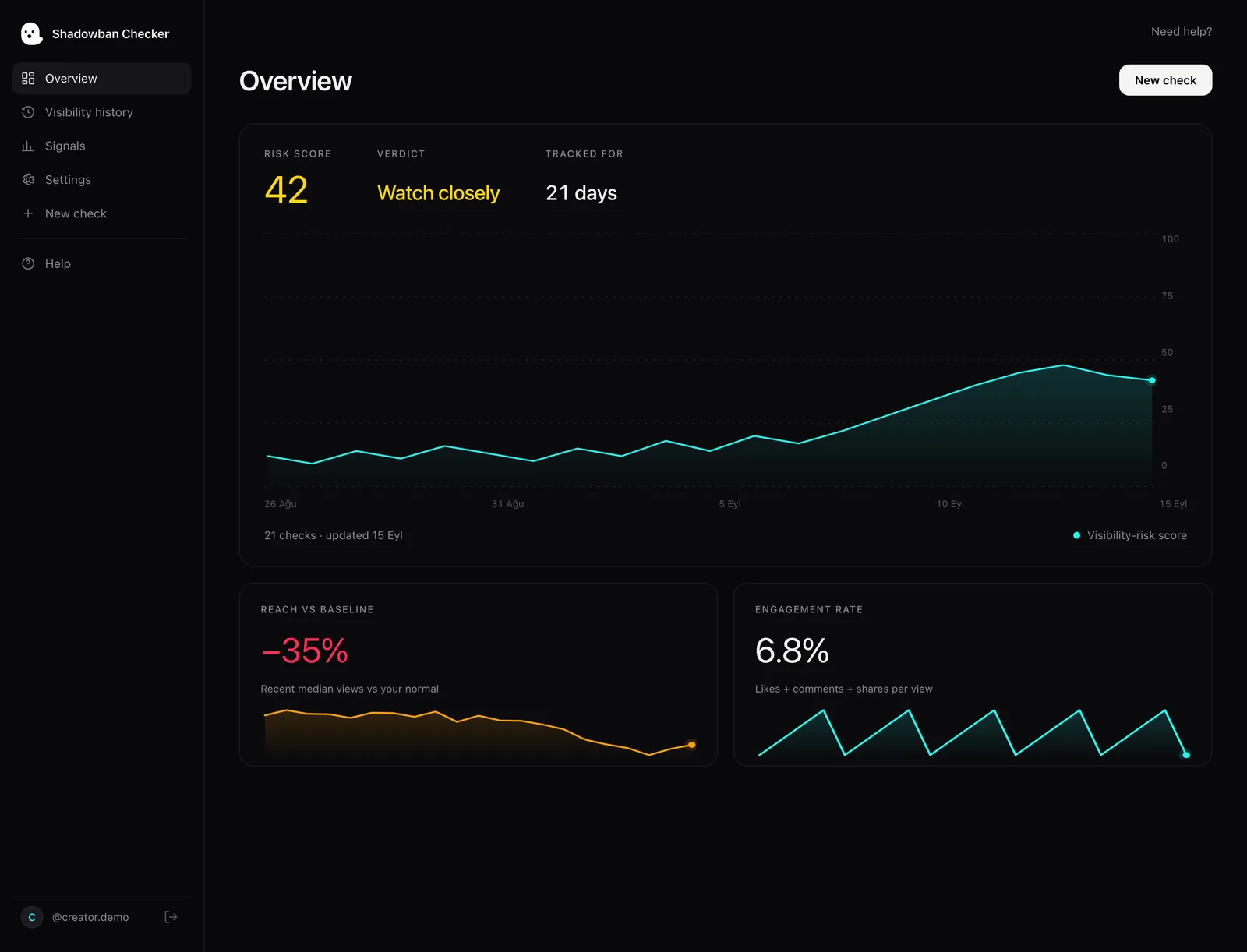
This is where Shadowban Checker fits. It connects through TikTok’s official API to read your own recent video stats — nothing more. It doesn’t post, doesn’t message anyone, and can’t see other people’s accounts. It looks at how many views your recent videos get and where those views come from. Then it shows whether your own numbers look like TikTok is recommending your videos less. That way you decide based on data, not worry. It’s our best reading of your numbers, not a message from TikTok — but it’s based on your real stats. Words like FYF, strike, and recommendation eligibility are explained in the glossary.
How do you recover from limited reach?
Recovery isn’t a trick. It means removing the reason TikTok stopped recommending your content, then posting clean content from now on. Roughly in order of importance:
- Fix the exact problem, not the general feeling. If a post can’t appear in the For You feed or was removed, read the reason in Account status. If the decision is wrong, appeal. If it’s right (watermark, reused clip, rule problem), it tells you exactly what to change.
- Stop reposting flagged material. Uploading watermarked, copied, or borderline content again breaks the same eligibility rules again. Post your own original edits.
- Let strikes age off. If the problem is a strike for breaking a rule, remember it leaves your record after 90 days, as long as you don’t get more. What helps is following the rules — not waiting for a mythical shadowban to “lift.”
- Keep posting normal content that follows the rules. Posting steadily gives TikTok fresh, clean content to work with. Don’t ruin your account trying reset hacks.
- Verify with data, not feelings. Check again where your views come from over your next several posts. Recovery shows up as For You views coming back — not as a notification.
The full step-by-step guide, without the myths, is at How to fix a TikTok shadowban.
How long does recovery take? (No timer)
There is no countdown. Lower views come from whether TikTok can recommend your videos — not from a punishment with a fixed length — so they don’t “end” on a set date. Views get better when the real cause is gone and TikTok starts recommending your recent videos again. That can be fast (a wrong For You feed decision reversed on appeal) or slow (posting clean videos over several posts).
The one real clock is the 90-day strike-record limit — and again, that’s about a strike leaving your record, not about your views jumping back on day 90. If your Account status is clean and your content is eligible, there’s nothing to wait for. The fastest path is posting strong, original videos that follow the rules, and letting your traffic-source data (where your views come from) confirm the recovery.
Bottom line: think “eligibility” instead of “shadowban.” Check TikTok’s two official sources, measure your own stats, remove the real cause, and track recovery in For You views — not in made-up day counts.