1. How do you connect your account?
You log in with TikTok’s official login. Shadowban Checker can only read the public numbers of your own videos — views, likes, comments, shares, captions and when you posted — plus your basic profile. It never gets your password, never posts or sends messages, and can’t touch other accounts. You can disconnect anytime.
2. What does it compare?
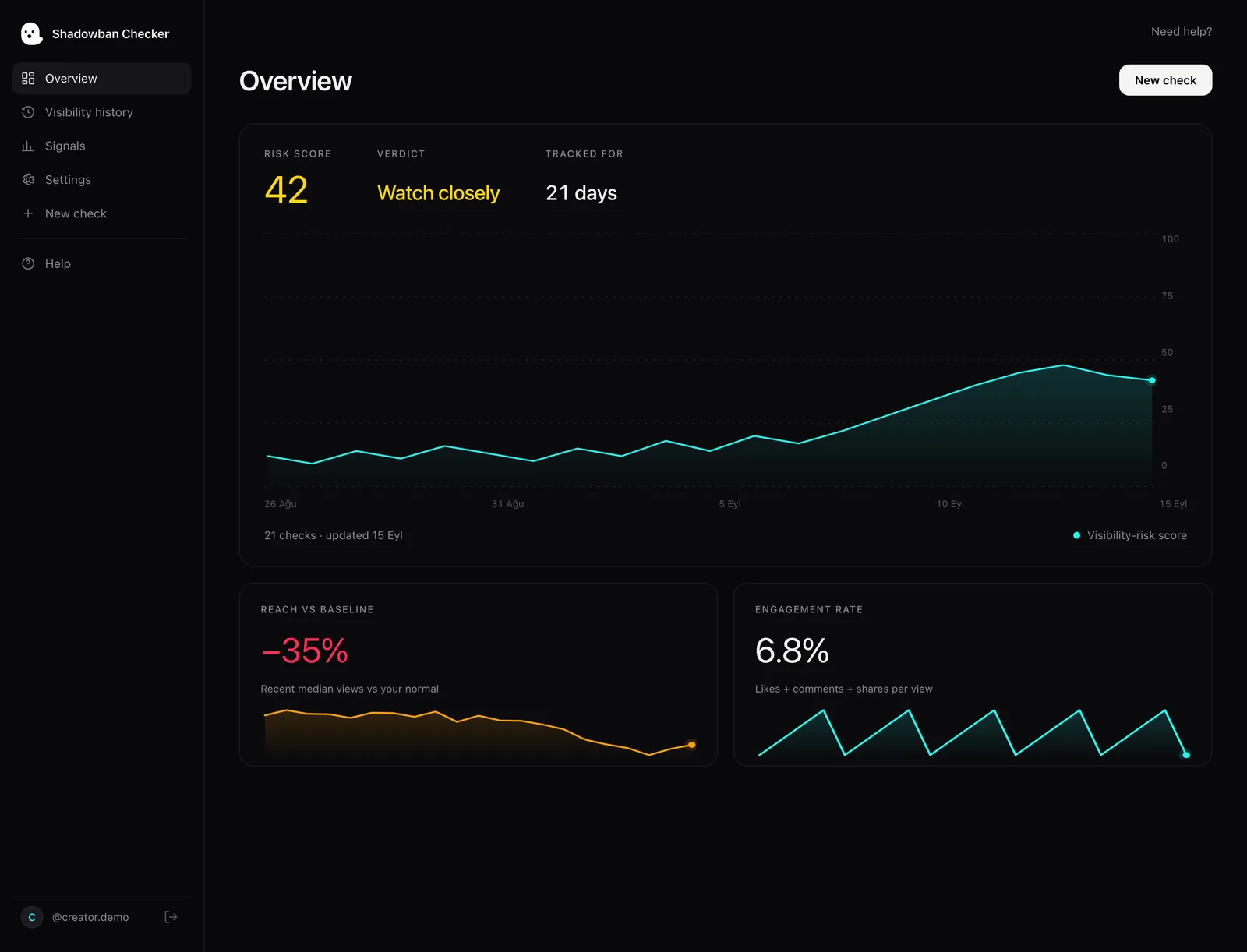
A view count doesn’t mean much on its own, so Shadowban Checker first works out your usual from your older videos, then checks how your newest videos compare. It looks for a few warning signs that, together, show whether TikTok may be showing your videos to fewer people:
- Your views dropped — your newest videos get far fewer views than your usual, allowing for how new each video is.
- Fewer people see your videos, but fans still like them — views fall while likes and comments per 100 views go up. That often means TikTok is showing your videos to fewer new people, not that your videos got worse.
- Views fell off suddenly — a new video gets far below your usual right after one that did about normal.
- Other warning signs — a video stuck with almost no views, too many posts at once, or very similar videos posted together.
It also checks your hashtags for spammy or overused tags. For exactly how we measure all of this, see how we work out the score.
3. What does the 0–100 risk score mean?
Those warning signs add up to one score from 0 to 100, explained in plain words, with exactly what we found. A low score means your views look healthy. A high score means several warning signs point to TikTok showing your videos to fewer people, and it’s worth a closer look. The number sums up what we found — it isn’t a final answer. TikTok never confirms a limit, so Shadowban Checker gives you its best reading of your numbers.
4. How do Pro’s daily checks work?
A limit starts quietly. With Pro, Shadowban Checker checks your account every day and emails you within a day if your views drop. It keeps your history so you can see how your views change, and helps you tell if your views are really coming back or just going up and down as usual. See pricing.
How does it fit with TikTok’s own tools?
Shadowban Checker is designed to work alongside TikTok’s own tools, not replace them. TikTok’s Creator Academy says content made ineligible for the For You feed appears in your analytics, and your account status shows account-level violations. Use both: TikTok tells you a video’s official status; Shadowban Checker tells you if your views over time look normal.